
3CX · A closer look
One phone system.
More ways to work.
At your desk, on the move or across borders: discover how 3CX helps your people stay connected, with Customer First Business Solutions Ltd as your 3CX Partner.
01 / Desktop app
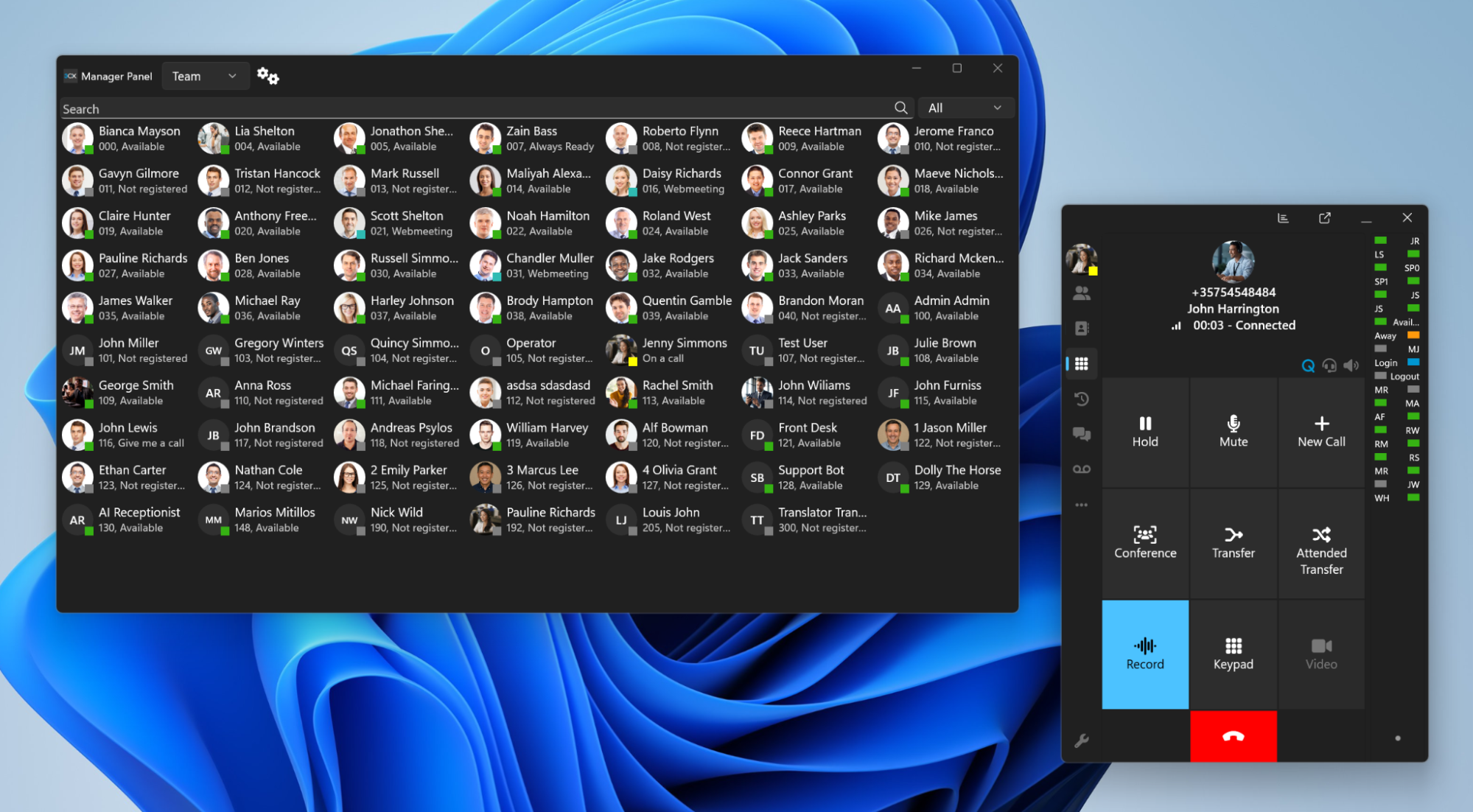
Your business phone, on your computer.
Make and receive calls from your Windows desktop with a headset, keeping your hands free and your desk clear. Use the phonebook, manage your availability and transfer calls to the right colleague.
The 3CX Windows softphone puts everyday call controls within reach. A browser-based Web Client offers another way to work from your computer.
 View larger ↗
02 / Mobile app
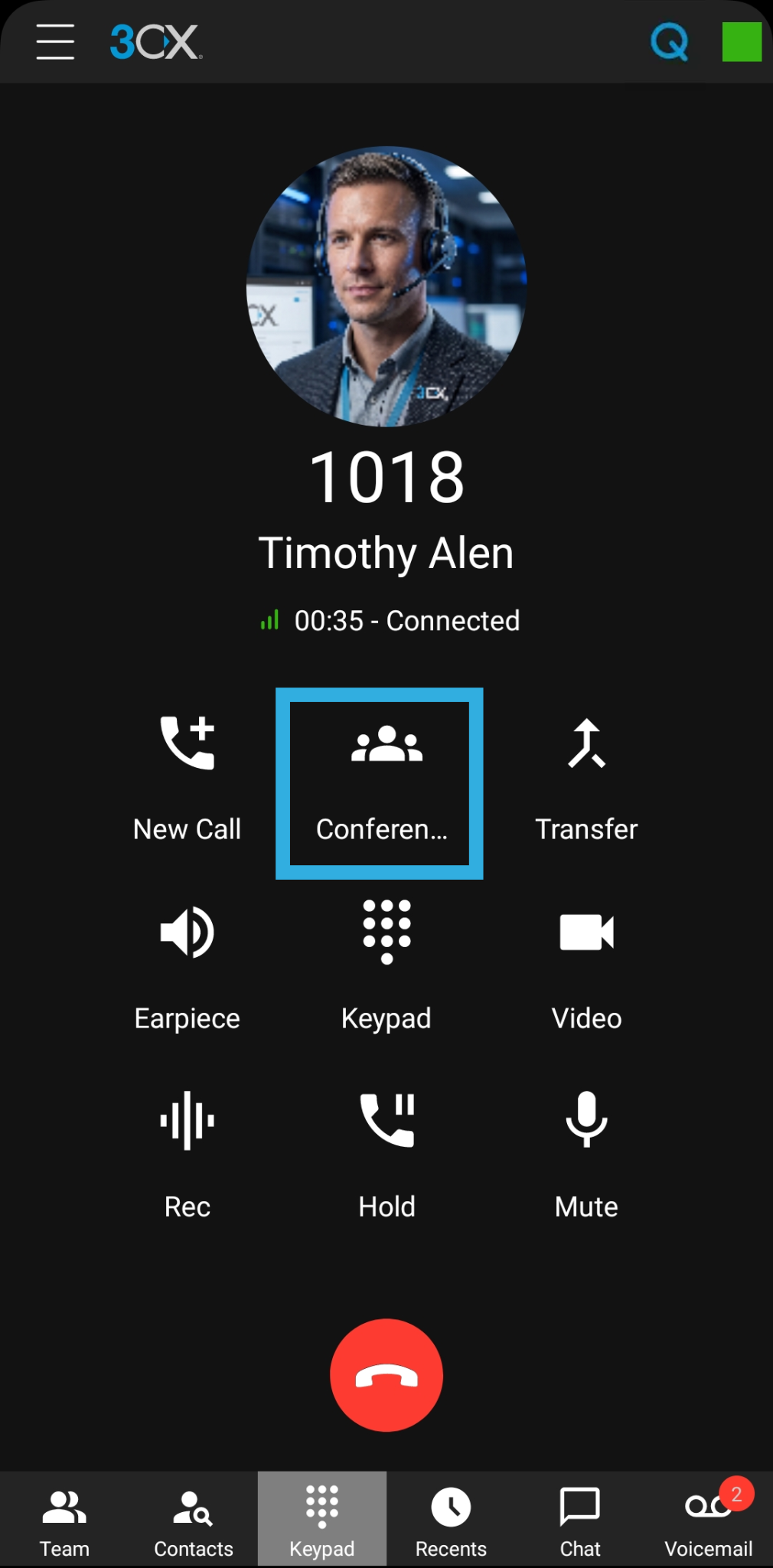
Take your extension with you.
The 3CX apps for iPhone and Android let you make and receive business calls over Wi-Fi or mobile data. Stay reachable on your business number when working remotely or visiting customers.
Keep your personal number separate, check colleagues’ availability and transfer conversations back to the team. Reliable connectivity and your configured working hours determine when and where calls reach you.
 View larger ↗
03 / AI Reception
A natural welcome. A useful next step.
Let callers explain what they need in their own words. AI Reception can greet callers, gather details and route them towards the right person or department, including outside normal office hours.
We agree the information it can use, the tone of its conversational responses and when to hand over to a person or voicemail. AI capability, integrations and usage charges depend on the selected 3CX edition and configuration.
04 / Room to grow
From one extension to many.
Start with the people you have today and plan for the team you want tomorrow. 3CX offers options for small businesses through to larger organisations, so your telephony can grow alongside your business.
Add extensions, departments and locations within the capacity of your chosen system. We size the licence, hosting and simultaneous-call capacity around your needs, and review them as you expand.
05 / Global connectivity
Local presence. Global reach.
Connect colleagues across offices and countries through one business communications platform. 3CX supports SIP trunk providers around the globe, giving you a choice of providers for external calls and telephone numbers.
A SIP trunk connects your system to the public telephone network. We help select supported providers, number coverage and calling plans for your locations. Number availability, emergency calling, portability and local requirements vary by country and provider.
06 / Yealink desk phones
A familiar handset. Modern calling.
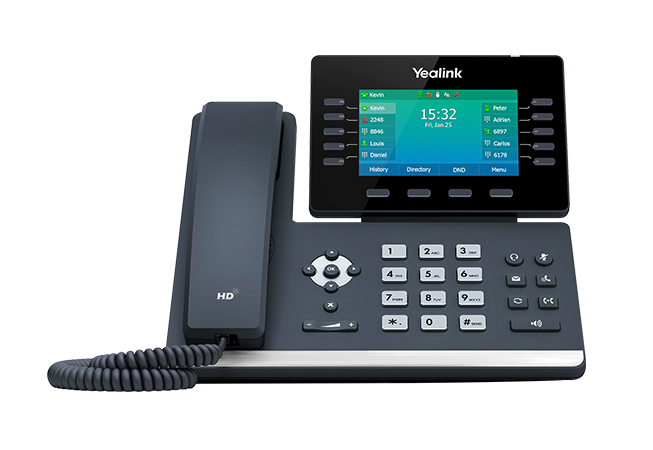
For reception desks, shared workspaces and people who prefer a physical phone, a compatible Yealink desk handset gives you dedicated call controls and a clear screen.
The Yealink T54W shown is an example: its adjustable colour display, programmable keys and headset options suit everyday business calling. We confirm the supported model, firmware and installation requirements for your 3CX setup.
07 / Yealink cordless phones
Move around. Stay in the conversation.
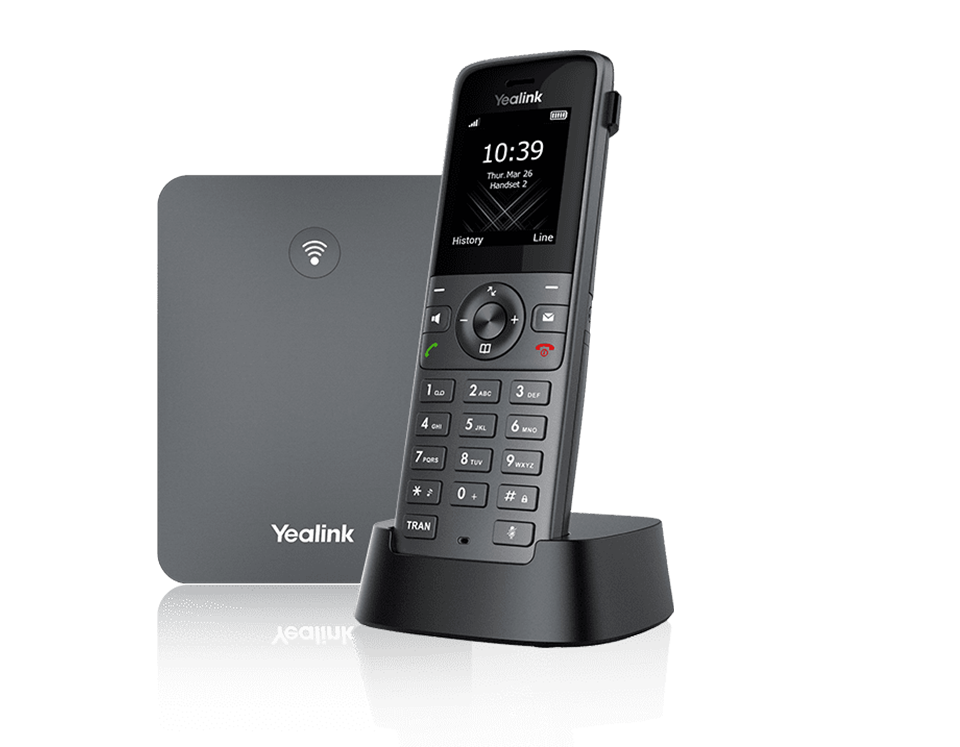
A Yealink DECT cordless handset is useful for moving between rooms, stock areas and reception while staying connected to your business phone system.
The W73P system shown combines a W73H handset with a DECT base. Unlike a mobile app, it operates within the coverage of its DECT installation. We plan coverage, base placement and capacity around your premises.
08 / Shared company contacts
One directory. Everyone connected.
Create a global company contact list so authorised colleagues can find the right customer, supplier or team contact wherever they work. The shared directory is available through 3CX desktop and mobile apps and supported deskphones.
Keep company-wide contacts together, or use department phonebooks for a more limited audience. We configure access and device compatibility around your organisation, helping colleagues find numbers quickly without maintaining separate personal lists.
09 / Your business identity
Your mobile. Your company number.
Make calls through the 3CX mobile app using your configured company number, even when you are away from your desk. Customers see a familiar business identity while your personal mobile number stays separate.
This supports a clear boundary between personal and business communication and a consistent, professional experience for customers. Outbound caller ID is configured with your SIP provider and is subject to its number verification and presentation rules.
10 / Conference calling
Bring the right people into the call.
Start a conference call from a supported company deskphone or 3CX app and bring in colleagues using the mobile app, alongside other internal or external participants. Office and mobile teams can join the same conversation without needing to be in the same place.
Resolve questions together, involve the specialist who has the answer and reduce the back-and-forth between separate calls. We set up conferencing around your working practices; participant limits and controls depend on the handset, system and licence.
Your 3CX Partner
Let’s build the right setup.
We bring together your users, locations, call flows and budget, then help with installation, handover and support.
Product images: 3CX and Yealink. Example devices and screens shown; features vary by version, licence and configuration. Desktop app · Mobile app · AI Receptionist · SIP trunks · Shared phonebooks